Diamond Pattern Procreate Brush: A Creative Essential
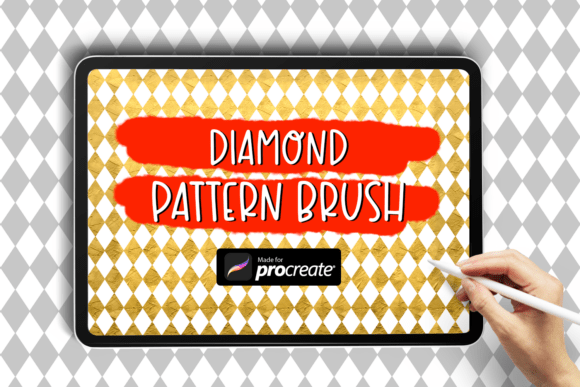
The Diamond Pattern Procreate Brush is a digital tool designed to bring elegance and structure to your artwork. Whether you're sketching, designing, or illustrating, this brush helps you incorporate precise diamond-shaped textures and patterns with minimal effort. It’s especially useful for artists who want to add geometric flair or structured backgrounds without drawing each shape manually.
Why This Brush Matters to Different Artists
What makes the Diamond Pattern Brush stand out is its versatility. For beginners, it simplifies the process of adding complex patterns. Experienced illustrators might appreciate how it speeds up background design or texture work. Educators can use it as a teaching tool to show how digital brushes function and how patterns can be manipulated. Entrepreneurs and marketers may find it useful for creating branded visuals that require a polished, professional edge.
How to Download and Install the Brush
Getting started with the Diamond Pattern Brush is straightforward. Here's how to install it on your iPad:
- Download the zip folder containing the brush file to your iPad using Safari or a file-sharing service.
- Extract the .brush file using the Files app or a third-party unzipping tool.
- Open the file in the Procreate app by navigating to the Files app, locating the extracted .brush file, and tapping it to import it into Procreate.
What You Get
The package includes 1 Diamond Pattern Brush file, ready to use once imported. There's no need for additional configuration or customization unless you want to tweak settings to suit your style.
Use Cases for Different Users
Depending on your background and goals, you may find different uses for this brush. Here are a few examples:
- Beginners: If you're just starting with digital art, the Diamond Pattern Brush helps you explore design elements without needing advanced drawing skills. Try using it in your background layers to create depth and interest.
- Illustrators: Speed up your workflow by using the brush to fill in textures or create seamless patterns for editorial work, book illustrations, or character design elements.
- Designers: Incorporate the brush into your layout designs, especially if you're working on packaging, branding materials, or social media visuals where structure and symmetry play a key role.
- Educators: Use the brush as part of a lesson plan to teach students about pattern brushes, texture, and layering techniques in digital art.
- Small Business Owners: If you create your own marketing materials or product mockups, this brush can help you achieve a professional look quickly and consistently.
What to Consider Before Using This Brush
Before you dive in, think about how this brush aligns with your current needs. Ask yourself:
- Is it easy to use? Yes—once installed, it works like any other brush in Procreate.
- Does it offer flexibility? While it’s designed for diamond patterns, adjusting pressure, opacity, and size can yield different effects.
- How does it affect your workflow? It can save time when creating textures or backgrounds, especially in projects where repetition and structure are important.
- Is it worth the investment? Since this is a single brush, it’s ideal for users who need a specific effect rather than a full brush library.
When This Brush Might Be Perfect for You
If you're working on a project that calls for geometric patterns, architectural sketches, or stylized textures, the Diamond Pattern Brush could be a valuable addition to your toolkit. It’s especially useful for:
- Creating seamless patterns for fabric, wallpaper, or web backgrounds
- Designing jewelry or fashion illustrations where subtle texture matters
- Adding structure to abstract art or digital collages
- Enhancing technical drawings or architectural renderings
Getting the Most Out of the Brush
Don’t limit yourself to using the brush as-is. Try combining it with other brushes or adjusting its settings to create unique effects. For example, reducing the opacity can create a subtle texture overlay, while increasing the size can generate bold, eye-catching backgrounds. Experiment with blending modes and layer adjustments to integrate the pattern seamlessly into your work.
Who Might Want to Look Elsewhere
If your work leans more toward organic, freeform styles—like watercolor or sketching—the Diamond Pattern Brush may not be essential. Similarly, if you're looking for a wide variety of brushes or more complex effects, you might prefer a larger brush set or custom brushes with more parameters.
Final Thoughts
The Diamond Pattern Procreate Brush is a simple yet powerful tool that can elevate your digital artwork with minimal effort. Whether you're a beginner experimenting with design or a professional streamlining your workflow, this brush offers a practical way to incorporate structured patterns into your projects. By understanding how it fits your creative process, you can decide if it’s the right addition to your digital toolkit.